Showing posts with label Apps & Software. Show all posts

Friday, 28 November 2014

Motorola Finds a Keylink


Many of us have a habit of leaving our mobile or keys here and there. And then, we do not find it when we need it. Or even worse! When we are late for work, they would just refuse to appear. If it is the mobile that decides to hide, we can still track it by calling ourselves. However, what if the key gets lost completely?

To solve this problem, Motorola has showcased their unique Keylink, which can be connected to your smartphone via Bluetooth. You can attach this small device to your keychain. Download the Motorola Connect app for your Android or iPhone. Press the button on the Keylink to ring your phone. If it rings properly it means your smartphone and the Keylink is now paired.

Now you can use the keylink to locate your smartphone. Just press the button on the Keylink and your device will start ringing even if it is on silent mode and help you locate it. Similarly, if your keys get lost, you can use the Motorola Connect to make the Keylink ring.

The small Keylink device is powered by a small coin sized cell. The battery is expected to last up to a year. You can easily replace it in case it is drained.

The great news is that the Keylink is already available for purchase. If you are in US, you can just walk in to the T-Mobile Store or visit Motorola.com to purchase it for $24.99.

Personally, I do not know how useful it is to use the Keylink. However, I am sure it has laid a foundation of a new thought of finding objects using technology using new-age technology. The day is not far when we will be finding our misplaced objects by just entering its name in the search bar of the app. Only time will tell the story!


P.S. - Not necessarily you have to attach the Keylink to your keychain. You can also attach it to the anything that you lose often e.g. a flashdrive, a TV remote, etc. 

Thursday, 20 November 2014

REACHit: Lenovo’s New App


In order to find or access the particular file at any point and time, I use several services such as Google Drive, Dropbox, One Drive, etc. And ‘the same old story’ with me is, I do not find the required file or photo just when I need it. I log in & out of all these services. But alas! Few days later the same file emerges magically when I am searching for some other file. Huh! It is completely mind boggling to manage all this data. And frustrating too!
 
But now, seems like Lenovo has heard my prayers. The company has launched an app that will manage all these accounts. Lenovo REACHit has been designed to access, organize, search and share files from any of these data storing services.

Search it!
REACHit connects a user’s PC, Android or iOS device and multiple cloud storage accounts from Google Drive, OneDrive, Dropbox and Box. Hence, it is easier to store, search and share. Using a simple search bar, users can search for a particular document across the devices and storage locations. If you wish to use it on your Windows, it integrates into Windows File Explorer for searching storage locations within the Windows operating system.

Move it!
That’s not it. You can also move files between devices and storage locations through REACHit. So that you can access and edit files while even on the go.

“We are extremely excited about launching REACHit but this is only the beginning. We have lots of cool ideas and features that we’ll be using to enhance REACHit’s functionality. But even more important than those we are looking to drive a model where our customers ‘vote’ on what we should do next and provide us with feedback to direct our future development,” said Vice President, Ecosystem and Cloud Services, Lenovo, Mark Cohen.

Availability
The REACHit is now available for free download on Google Play store and Apple Store. Lenovo’s devices will come pre-loaded with this app from early next year.


I have already downloaded this app. Until I review it, you do share your experiences with it. 

Tuesday, 18 November 2014

Nokia Launches N1 Tablet with Android Lollipop


Today, Nokia has surprised one and all with the launch of their N1 tablet. There are couple of things worth noticing in this device. For the first time, the company has teamed up with Google to bring Android to their device. Also, it is one of the first devices, apart from the newly launched Nexus devices, to have the Android Lollipop 5.0.

Another novel feature about this device has to be the Z Launcher. This app helps to manage apps and stay organized. With scribbling of a letter or two, this launcher helps to find the app that the user is looking for. That’s not it. The app is smart enough to suggest apps depending on the time and location.

The other features of the phone include 2.4Ghz Intel Atom quad-core processor and 7.9” display. It is 6.9 mm thin and will be available in two colors – Lava Grey and Natural Aluminium.

Talking about the product, Head of Products, Nokia Technologies, Sebastian Nyström said, "We are pleased to bring the Nokia brand back into consumers' hands with the N1 Android tablet, and to help make sophisticated technologies simple."


The phone is expected to be available in the market by Q1 of 2015. We just can’t wait to see the combo of Nokia and Android. Let’s see how it turns out.

Monday, 17 November 2014

Software That Lets You Hear Wi-Fi Signal


With the increasing use of smartphones, our dependability on wi-fi is also increasing. We use internet for every small purpose right from finding our way in the new city to saying hi to the friend to banking. The availability of wi-fi is must. But how do we realize that the wi-fi signal is available by looking at the phone?

A London-based scientist, Frank Swain has an answer to this question. He has developed software named Phantom Terrains that will help us identify the presence of any wi-fi signal through sound. Right now, this software works with the iPhone and a specially created hearing aid.

The system uses iPhone’s wi-fi sensor to receive the data. The newly developed software decodes the data and transmits it through the customized hearing aid.

Thursday, 13 November 2014

Nexus 5 Users Get Their Own Lollipop


The news of delayed release of Android 5.0 aka Lollipop update on Nexus 5 had disappointed the users thoroughly. It was also rumored that Moto X and Moto G would get the update sooner than Nexus 5 users, which only added more distress to the waiting Nexus owners.

However, there is no reason to be sad or disappointed now. Apparently there was some bug in the device that caused the delay. The said bug was believed to drain the battery erratically. As officially stated by Google, this bug was the reason behind the postponing of the big update from November 3rd to the next week. But it seems that the issue has now been sorted out and the Nexus 5 will finally receive its much-awaited update.

Yes, we have official great news from Google that Android 5.0 a.k.a the Lollipop has started rolling out on Nexus 5 from today. Therefore, if not today, may be in a couple of days, you would get your share of “Lollipop”.

Now for those who can’t hide their enthusiasm head over to the Settings on your phone – About Phone – System Update – Check Now to see if your update is ready and waiting for you.

Why such excitement?
Are you still wondering why this update is so much in the news? The Lollipop is one of the major operating system updates that Google has released.

The biggest refashioned feature is the Material Design which allows app developers for integrating the new design pattern easily into their apps.

Along with its fresh look, Android Lollipop commits improved flexibility and connectivity. One of its main features is that it connects all your devices which run on android. Even if you switch between your phone your tab or a wearable. You can continue playing songs, photos, apps and even recent searches exactly where you left it.

Additionally, the design of the Lollipop adapts to the device. For example, the operating system shows your inbox along with the message you are reading. So that you can also see the new e-mail that arrives while you are reading the earlier one. Just like Microsoft Outlook.

On the performance part, the Android 5.0 Lollipop brings in a much smoother and powerful computing experience. It will now run ART Runtime which has permanently replaced the DALVIK Runtime.

Moreover, Lollipop also lets you customize settings as per your choice. You can now choose whose message is eligible to disturb you while at work and respond to it from the lock screen itself.

For further details of its new features, kindly head over to Google’s official page for Android Developers.


And yes, don’t forget to share the good news with us when the update hits your Nexus 5. 

Tuesday, 11 November 2014

Firefox fx10: Made for Developers


On the eve of its 10th anniversary, Mozilla has rolled out a new version of their browser. The new fx10 is specifically designed for developers. This Developers Edition gives you access to tools and platform features almost 12 weeks before they reach the general Firefox users.
This version equips you with various tools, which help you to develop faster and efficiently. To know more about it, watch the video.


Impressive? You can download the same from here

Thursday, 6 November 2014

Office for iPhone, iPad and Android Tablet Preview


Starting today, Microsoft has released two new versions – Office for iPhone and Preview of Office apps for Android tablets. Simultaneously, the company has also updated Office app for iPad. iPhone customers and iPad holders having  iOS 7.0 or later can download the app and update respectively from today.However, Android tablet owners need to wait to have the first look of the Office. Although, they can sign up for app today onwards. Availability of the app for android is expected in early 2015.


Here are some early screenshots of the app for the Android brought to you by Microsoft.


PowerPoint for Android tablet preview
Inking feature in the PowerPoint for Android tablet preview
Check spelling in the Word for Android tablet preview
Add tables and charts in the Excel for Android tablet preview


Whats App: Blue is the Color for Read Messages


Whats App has introduced a real SMS killer feature – read receipt. Now, when the recipient reads the message the two tick marks would change the color to blue.

The first tick mark signifies that that the message has been sent successfully while the second indicates that it has been delivered. As of today, the messenger did not have any indicative feature that would confirm the reading of the message.


Whether it is a privacy killer or not, the popularity of the messenger might just take a business that the telecom companies get from text messages. 

Monday, 3 November 2014

Mozilla Teases with a New Browser - fx10


Good news for developers! Mozilla is all set to launch fx10, a new web browser specifically built for developers. The company claims that the upcoming browser is developed “by the developers for the developers” so that they can debug more and create a whole new web experience.

To enable developers to develop quickly and efficiently, the browser will be equipped with tools such as WebIDE and the Firefox Tools Adapter. So that they needn’t start from the scratch. It also allows the use of tools and templates from other sources.


More details will be released on November 10, when the company plans to launch the new fx10. Until then, let’s wait and watch. 


Sunday, 2 November 2014

Get your Gmail App Lollipopped


Google is all set to launch its much-awaited Android Lollipop. We can be sure of it, as it is gradually coating its apps with Lollipop sweetness. First in line is our beloved Gmail app.

Google will soon start rolling out Gmail 5.0 update on Google Play. The new update brings a pleasant change to its design and functionality. On the design front, all the persistent gray has been replaced with a welcoming red. You can see it in the header and status bar. Also, buttons have got a curve, all the squarish blocks are now circular and pretty. For instance, the + sign for composing a new mail has been replaced with a trendy red circular button at the bottom of the app. You will also notice that the mails also have a circular button with images instead of the old square frames.

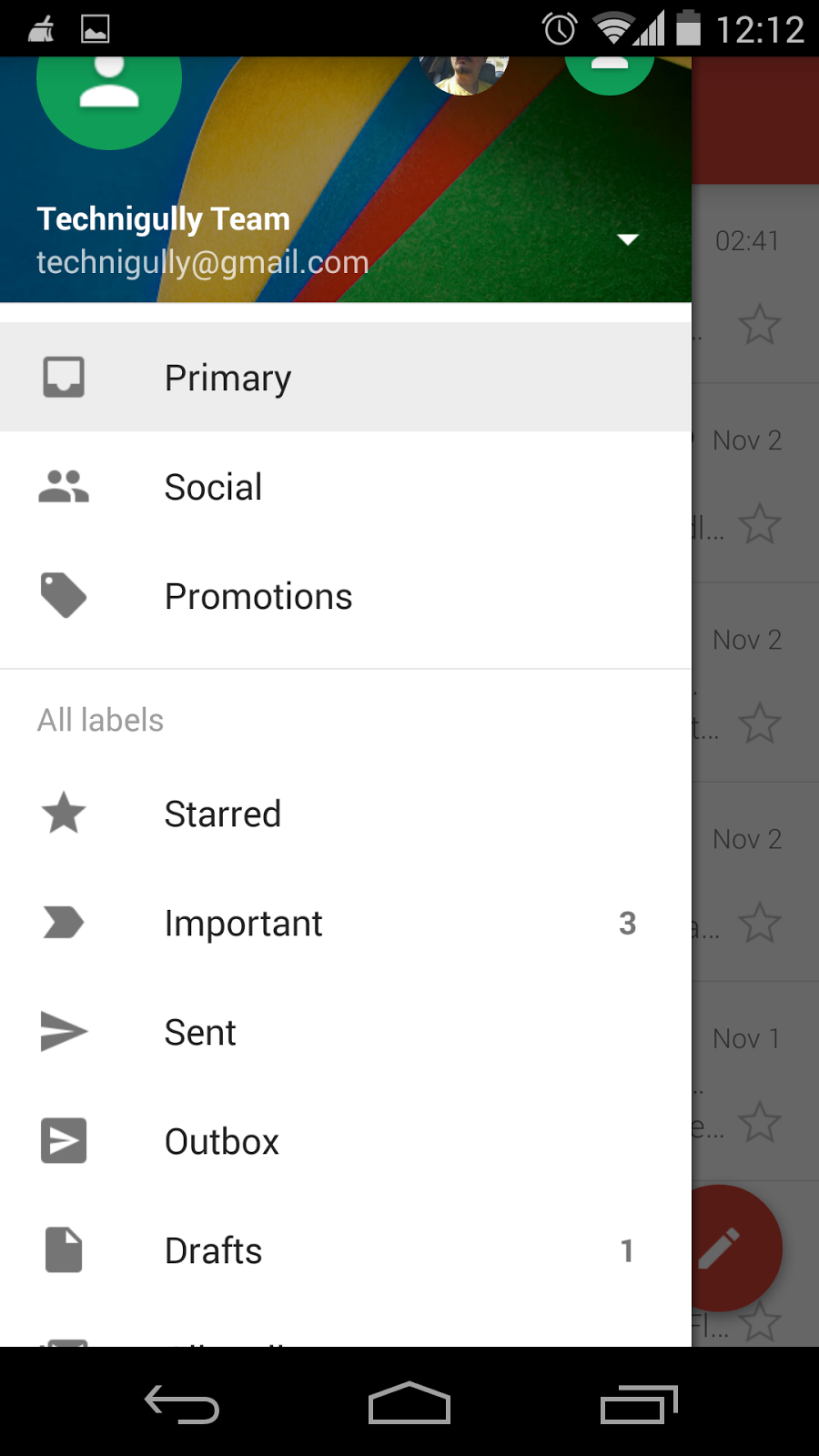
The navigation drawer has been redesigned too. You can now view your tabs and switch between multiple accounts more smoothly.

Apart from the beautifying touches, Gmail will now allow users to manage all their accounts from multiple email clients.

If you can’t wait for an update, head straight to earlygapps to grab its Apk file, which you can install manually.

Wednesday, 29 October 2014

Google Fit: Your ‘Fitting’ Health Partner


Seems tech companies are being health conscious nowadays. On one hand, Apple iPhone 6 incorporates Health App, while Fitbit has recently launched its wearable to keep a track on your fitness record. On the other hand, after releasing an update featuring fitness tracking for Wearables, Google has just introduced a new app that will manage your data with regards to workouts and fitness.

Google Fit, the new app, detects activities like walking, biking and running. You can also set your fitness goal and follow your track record. The highlight of the app is that it is compatible with Android phones, tabs, wearables and also the web.


The app supports all devices having Android Ice Cream Sandwich and above versions. Head to Google Play to try it out. 

Friday, 24 October 2014

Lenovo and Google ‘Band Up’ Together


Lenovo and Google Play have joined hands to open doors of music for Lenovo customers. With instant access to Google Play Music, Lenovo PC and tablet manufacturer will be able to stream music online. Also, if you are a Lenovo owner, you will be able to create custom radio stations and browse music. That’s not it! You can also share music with friends through Google+, Facebook or Twitter.

Moreover, you can store up to 20,000 songs, create custom radio stations, browse music.

Additional features include:
  • Listen Now: Customized recommendation of music based on latest purchases, history of played music and favourite artist
  • Listen Anywhere: This feature allows you to listen to your favourite music even offline
  • Ad-free Online Radio: Ad-free means there is no interruption in the music. Wooohooo!
  • Featured playlists: Google suggests you the playlist. Also, you can view your friends’ playlists.

Monday, 20 October 2014

Apple a Day Keep Competitors at Bay


It’s Apple everywhere. Recently, Apple has launched a wide array of its products at one go. It has expanded the iPad with iPad Air 2, while iMac family getting an additional member with 27 inch retina 5K display. Mac Mini and OS X Yosemite are other notable releases.

Here are the top distinguishing features of Apple products.


iPad is in the Air 2
  • Thinnest model in the iPad range with width of 6.1 mm
  • Improved Retina display for enhanced contrast and richer visuals
  • iOS 8.1 including Continuity features across iOS 8 and OS X Yosemite
  • A8X chip for rich visual effect
  • Touch ID to unlock iPad with just the touch of a finger
  • Price starts from Rs. 35,000


Yosemite a Beautiful landscape
  • Allows receiving iPhone calls from your Mac
  • Updated versions of Safari, Mail, Messages and iTunes
  • Translucency effect to reveal additional app content as you scroll
  • Spotlight feature that delivers rich information right to your desktop from Wikipedia, Maps, Bing, App Store, iTunes Store, etc
  • iCloud Drive


iMac
  • 27-inch iMac with Retina 5K display
  • Highest resolution display with a breathtaking 14.7 million pixels
  • Oxide TFT-based panel to deliver vivid display brightness
  • 4 GHz quad-core Intel Core i7 processor with Turbo Boost speeds up to 4.4 GHz
  • Priced at Rs. 1, 71,000

 Stay tuned for detailed report on individual products...


Sunday, 5 October 2014

New News Newstand


Now read news in a new way. Play Newsstand, the app that brings news from around the world to your phone screen gets a delightful upgrade. Update the app today, and open up to a more vivid experience. Here are its most noticeable changes:

Bigger images, more contextual headers and smoother transitions

Switch between topics in a flick:
Now you can switch between topics towards left or right. Swiping upward or downward expands the topic for revealing more details.

More personalization:
Have all news of your interest with beautiful big images on the front page itself

Explore more:
Newly added Explore section gives you a compelling reason to surf new topics of your interest and subscribe to them.


Enough said, take a look at the new Play Newstand yourself to rediscover news reading. 

Saturday, 4 October 2014

Now, Drop it Directly to your SD Card!


We all know how convenient it is to have all our important files and folders on all of our smart devices. Especially, when you are away from an internet connection. That’s why heeding to popular requests and suggestions from users, Dropbox has introduced a new useful feature. Dropping files like photos, documents, shopping lists, meeting schedules etc directly to the SD Card of your smart device.

Now you can neatly organise your data and have all the important files you need when you are offline. Just export it from your Dropbox folder and save it on your spacious SD Card.

It’s real easy:
  1. Just Tap on “Quick Action” button to the right of the file.
  2. Select “More”
  3. Then tap on “Export”
  4. And “Save to Device” and you’ll see your friendly SD Card option happily smiling back at you.

Wednesday, 1 October 2014

Windows Open for Windows 10


Microsoft has finally revealed the next version of its operating system – Windows 10. Yes, awkwardly enough, the company has skipped a number.

The highlight of this new operating system is going to be the return of the ‘start button’ (which is a relief for 'start button fans' like us). Besides, Microsoft confirms that the upcoming version will adapt to their various devices including Xbox, desktops, phones, tablets etc.

Other promising features of the Windows 10 include:
Snap enhancement:
It will allow working with multiple apps easily. The new layout named quadrant will allow up to four apps to be snapped on the same screen.

Task View Button:
Windows 10 will also have a Task View Button on the task bar. This will enable quick viewing and switching between all running apps and files with ease.

Multiple Desktops:
On the other hand, the provision of Multiple Desktops will help us draw a clear line between two projects or official and personal work. This feature will create and enable switching between two distinct desktops for different purposes.

But it will be waiting game, as Windows 10 won't be out soon. It is expected to open up in late 2015. So, let wait to see what’s more Microsoft has in the ‘store’ for us.

Monday, 29 September 2014

App that Drives Safety Straight to the Home


When it comes to creativity, sky is the limit. But when it is matched with the need, its importance is all the more highlighted. Parenteen is a result of such perfect combination of creativity and need. This app is specifically developed for parents of teens who are acquiring driving skills.


Parenteen allows parents to virtually be with their child while he/she is driving. With the help of driver’s location and driver behaviour data they can also track their child’s progress. It also offers more such features that ensure child becomes a master behind the wheel. Know more about the app, click here

Monday, 15 September 2014

One for Everyone: Android One


Google does it again what it does best - make the latest technology available to all at an affordable price, This time, in the form of Android One. Android One is a platform for smartphones, launched with Google's three phone partners, Micromax, Karbonn and Spice. And the three Android One smartphones are Micromax’s Canvas A1, Karbonn’s Sparkle V and Spice’s Dream Uno. All available at a starting price as low as Rs. 6,299!

These smartphones are loaded with basic features such as camera, dual-sim, FM radio, and expandable memory slot and will offer a complete smartphone experience to people who could not afford such gadgets until now. That’s not all. To ensure that users stay updated, Google One smartphones will receive the new versions of the operating system directly from Google.

Initially, these devices will run on Android Kitkat, but shortly, they will be amongst the first few phones to get upgraded to the most awaited Android L. Moreover, Google has also announced an offer with its telecom company partner Airtel, which will offer special data plans for these mobile devices.

Seems interesting? You can buy Micromax Canvas A1, Karbonn Sparkle V or Spice Dream Uno exclusively on the e-shopping sites amazon.com, snapdeal.com and flipkart.com respectively. 

Thursday, 11 September 2014

Say ‘Hello’ to Hangout’s New Feature


When your loved one is at the other end of the globe, it is best to video chat with them. However, it is not always possible. To take you out of this conundrum, Google has upgraded Hangout with Voice Call feature.

Now, Android, iOS and web users in the US and Canada can get in touch with the help of Hangout, that too for free! Yes, you read it right, calling other Hangout users or numbers in the US and Canada is free of charge. Furthermore, Google also claims that international calls from Hangout will be at a lower charge. In a nutshell, the Voice Calling feature of Hangout will make communicating simpler and affordable.


Installing it is easy as well. Just get the latest Android version of Hangout (v2.3) and the Dialer app to turn on voice calling, and you are good to go. For iOS and web users, your Hangout will upgrade itself the next time you open the app.
Visit blogadda.com to discover Indian blogs